

Choose the vehicle
1
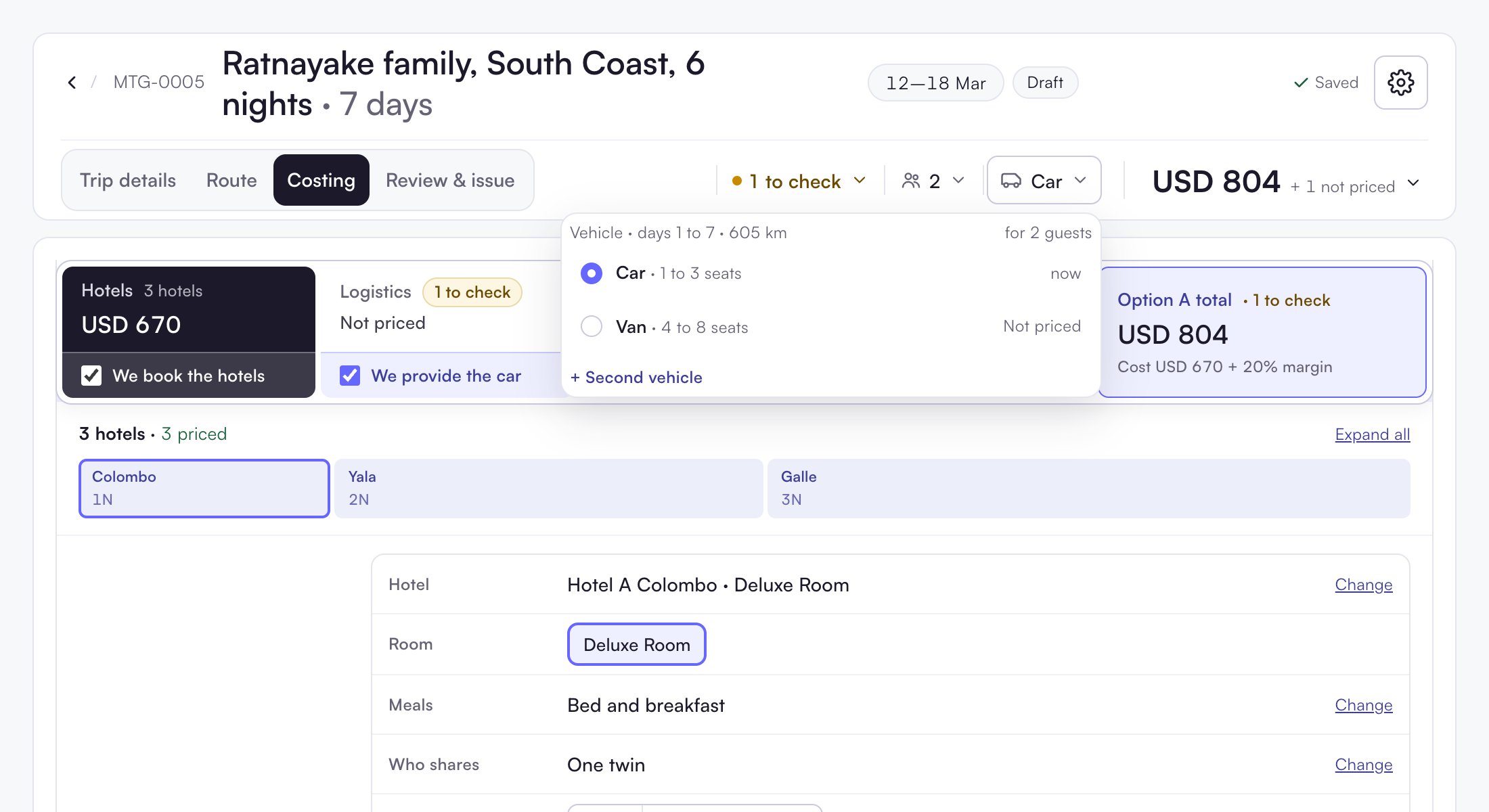
Open the vehicle menu
Click the vehicle in the header, for example Car.
2
Click a vehicle
Each row shows the seats and the price change, for example USD 61 more. One click changes it.
Set the km to charge
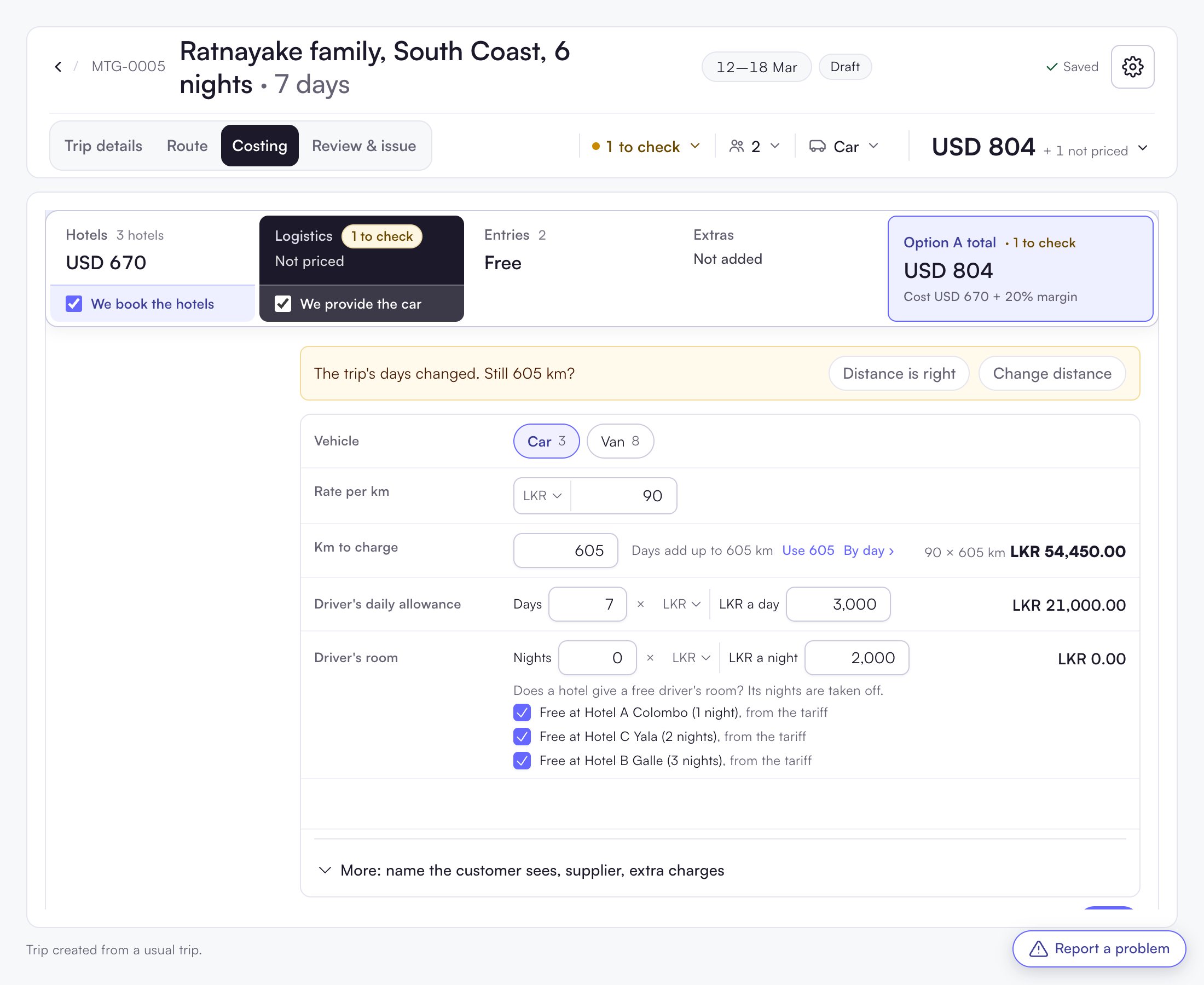
Open the vehicle line in Costing (Logistics).- Rate per km: the rate and its currency.
- Km to charge: filled from your standard distances. The hint shows, for example, “Days add up to 605 km”. Click Use 605 to take it.
- By day ›: type each day’s km. The total follows.
Questions the vehicle asks
The vehicle box shows one amber question at a time, for example:- “The trip’s days changed. Still 605 km?” Click Distance is right or Change distance.
- “EUR 130 a km looks far too high for a van.” Click Use LKR. This happens when the currency was changed but the number was not.