

Change the hotel
1
Open the town
In Costing, under Hotels, click the town, for example Colombo.
2
Click Change
On the Hotel row, click Change (or Choose if there is no hotel yet).
3
Pick the hotel
In Hotel, type a hotel name. The list shows Your hotels in that town. Or type another hotel.
4
Pick the room and meals
Choose the Room. Under Meals, click a plan.
5
Click Done
Click Done. Use Undo at the top if you change your mind.
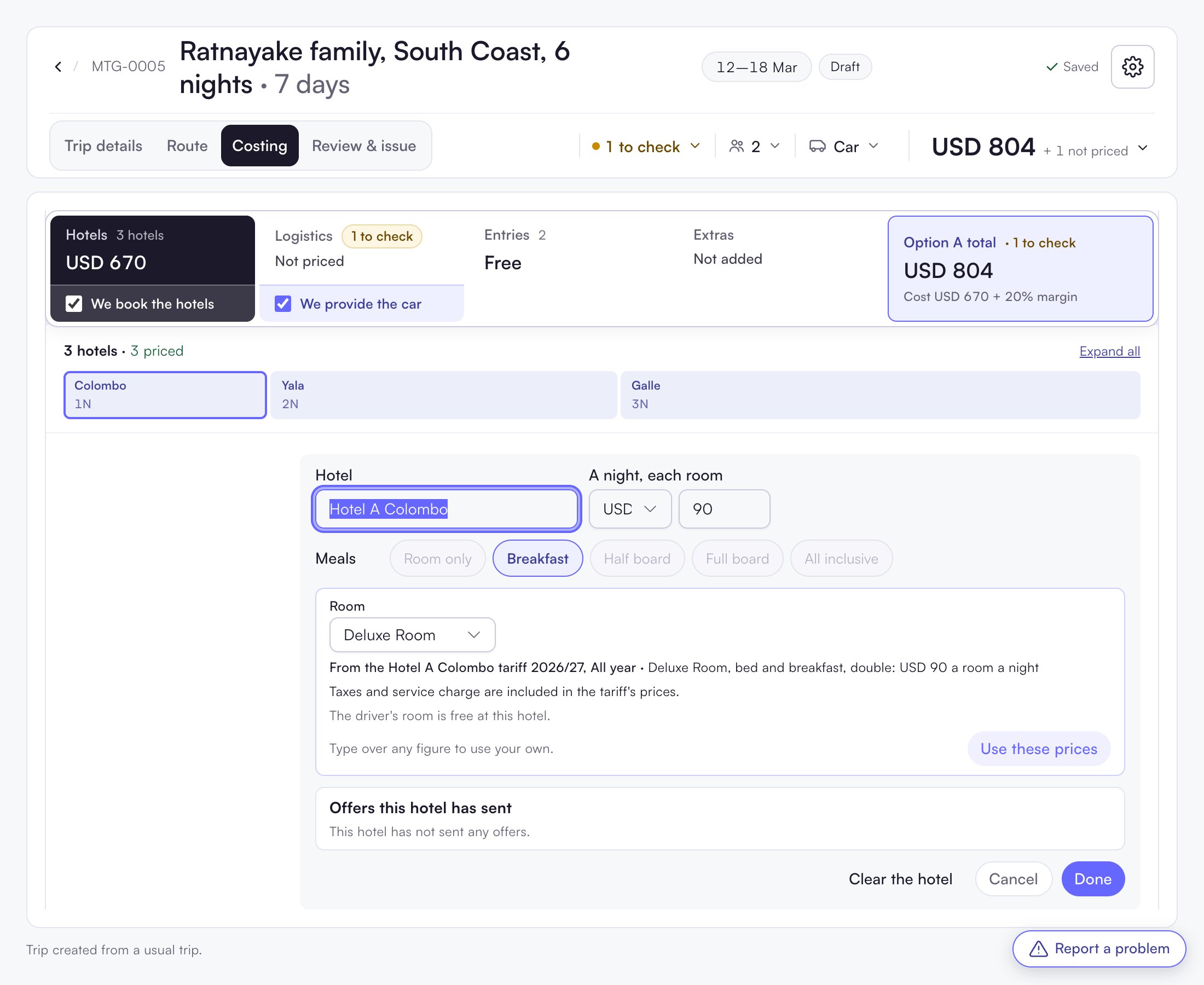
Price list or your own price
- With a price list, the box shows, for example, “From the Hotel A Colombo tariff 2026/27”. Click Use these prices.
- To use your own price, type over any figure. The stay is then marked Your own price. A later price update never replaces it.
A meal plan the price list does not have is greyed out. You cannot pick it for that hotel.
More than one hotel in a town
- + Another stay here adds a second hotel in the same town.
- + Room for the arrival night adds a room for the night before Day 1, for a late arrival.