

Why a new version
- The customer must see the same prices and days that you sent. A sent version never changes behind their back.
- You keep a record of every version you sent.
- Each link opens one version. Make a new link, or email the new version, after you issue it.
What you see after a change
When the costing matches a sent version, Costing stops saving by itself. Instead you see Save costing at the top, with Undo.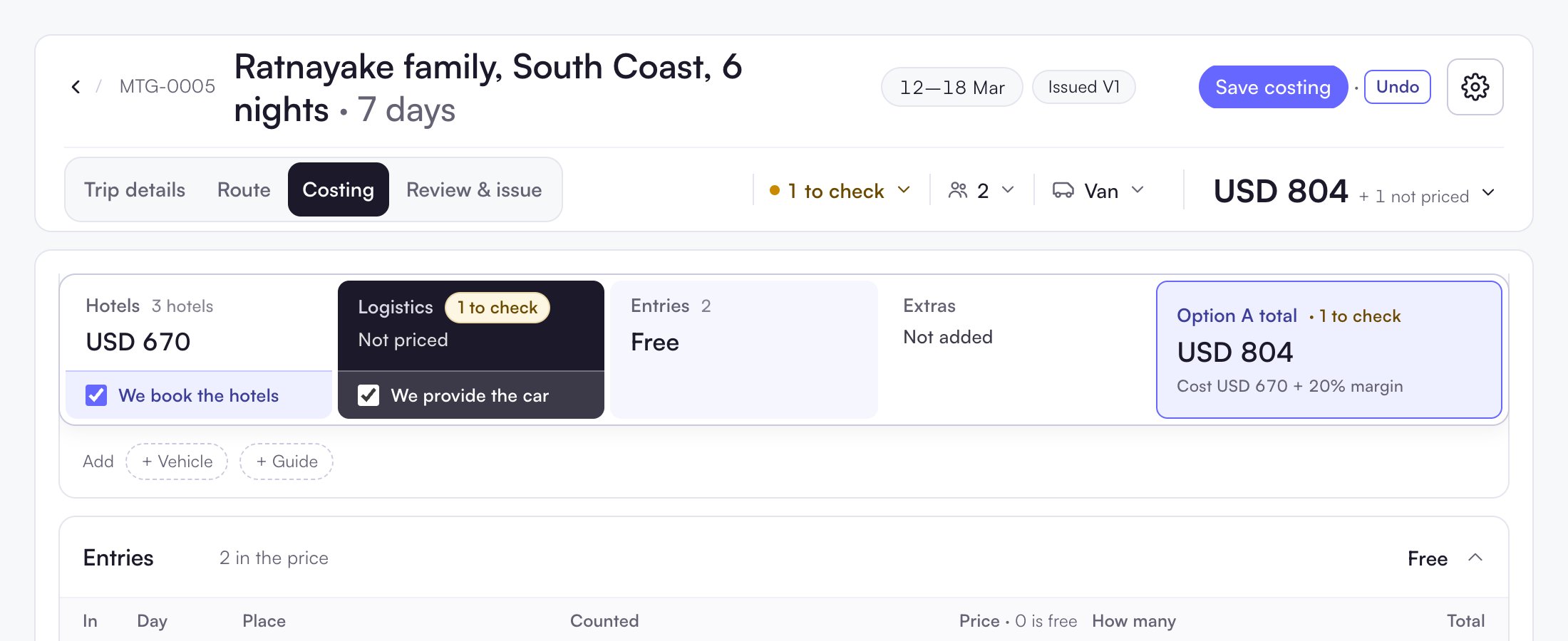
Issue V2
1
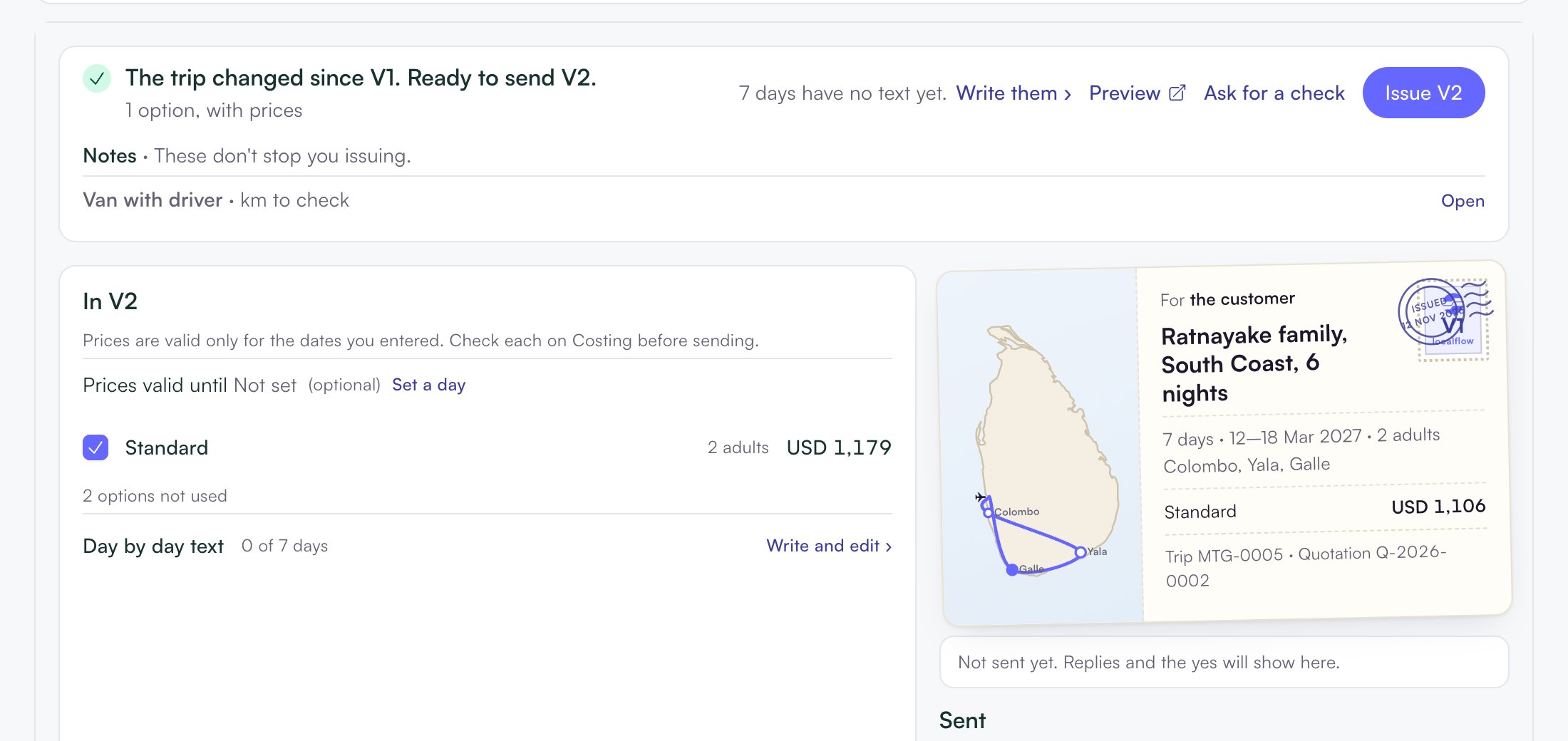
Open Review & issue
The status line says The trip changed since V1. Ready to send V2.
2
Click Issue V2
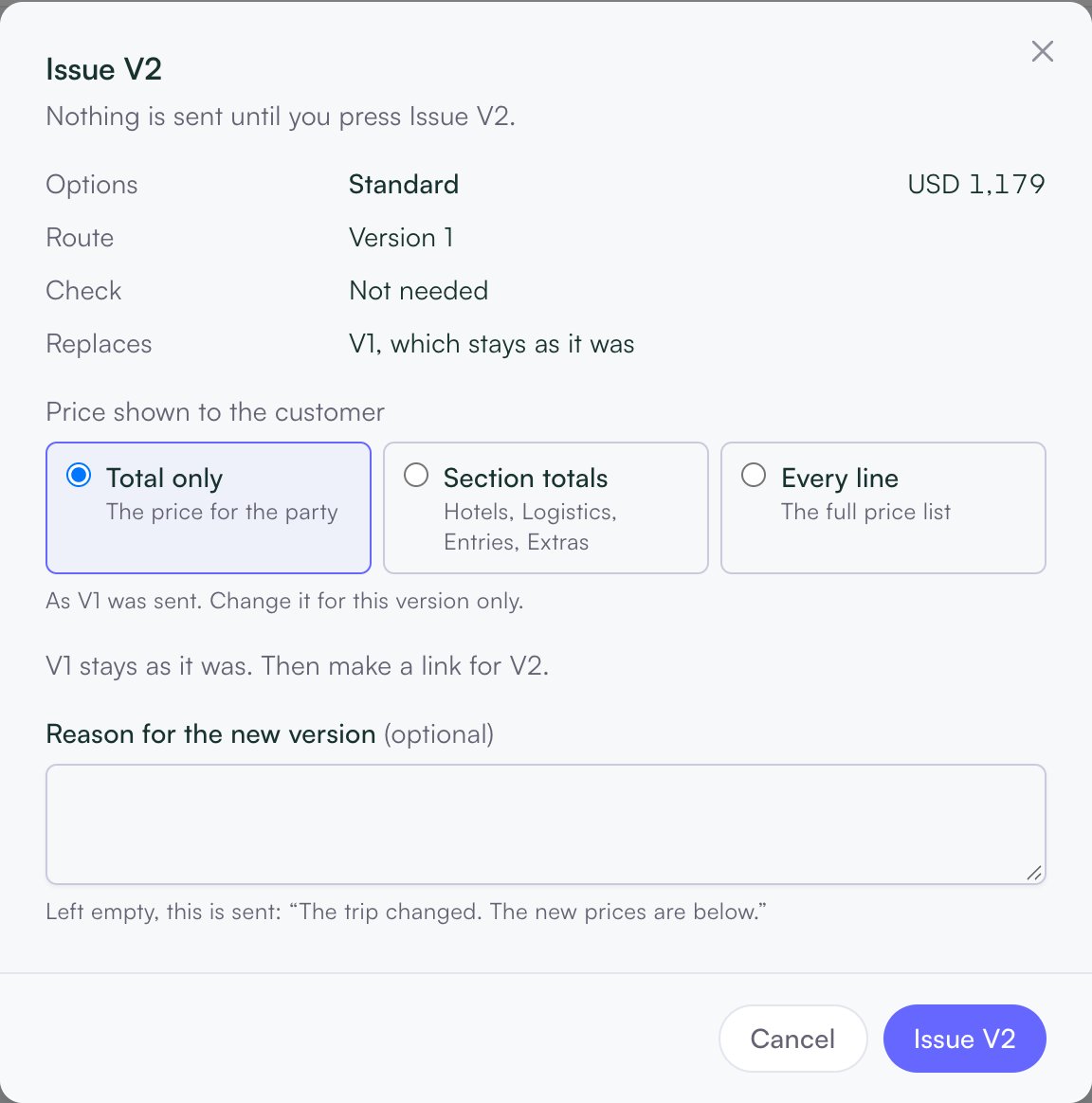
A box opens. It shows the options, the price, and Replaces: V1, which stays as it was.
3
Choose the price shown
Under Price shown to the customer, pick Total only, Section totals or Every line.
4
Write the reason
Type the Reason for the new version, for example “One more night in Colombo, as you asked.”
5
Issue
Click Issue V2. Then email it or make a link, as for V1.
See what changed
In the Sent list, open the ⋯ next to V2 and choose What changed in V2. Each change shows the new value and what it Was.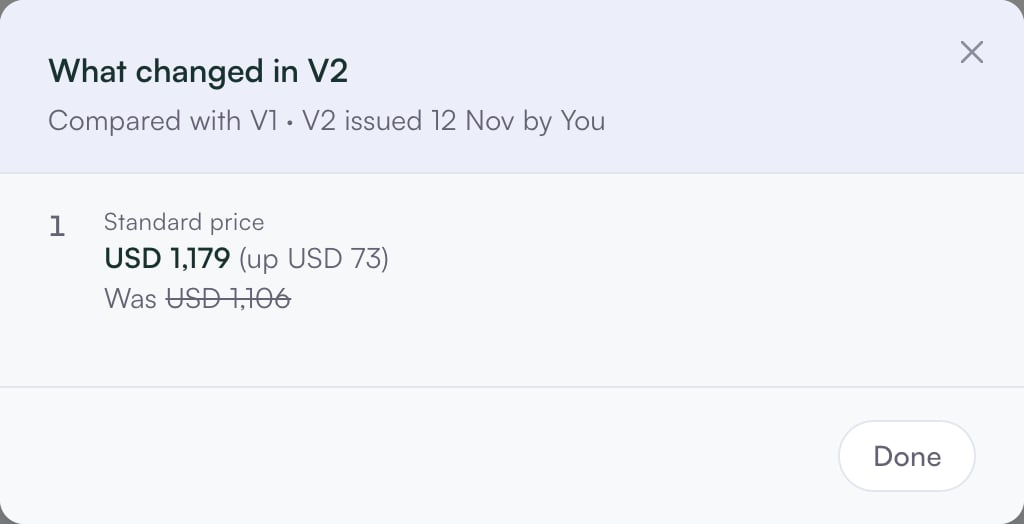
What stops you issuing
Only one thing blocks a new version: a hotel whose price-list dates changed under its rate. It shows as, for example, “Galle · new dates”. Choose Use the new price or Keep the old price. Everything under Notes (for example “km to check”) does not stop you issuing.An older version issued before 12 November has no price per person by room sharing. Issue a new version to show it. See Prices per person.