The Preview shows the customer’s page as it would look if you issued now. It is the same page your customer opens from the link. Nothing is sent to the customer. It is for you.

Open the preview

1

Open Review & issue

Open the trip and go to Review & issue.
2

Click Preview

Click Preview. When there is nothing left to issue, the link says View as the customer. It opens in a new tab.
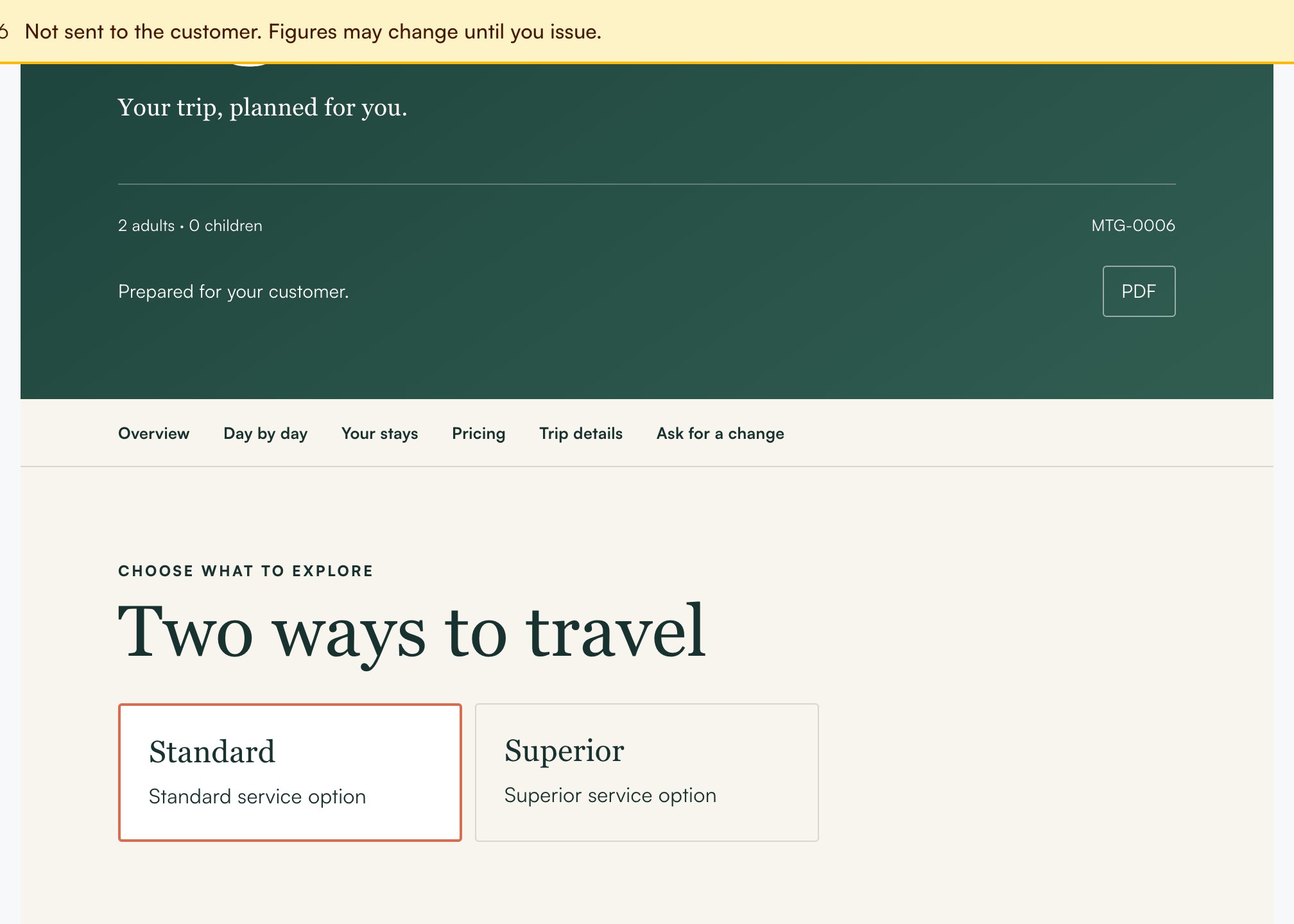
A yellow bar at the top says Preview and “Not sent to the customer. Figures may change until you issue.” The preview never shows your costs or your margin. Under the yellow bar the page is the customer’s page. It says Prepared for your customer, it has the PDF button, and it ends with Ask for a change. In the preview the PDF button and the Ask for a change form are switched off. The form says “Your customer writes here.”
The Preview with the yellow bar, Prepared for your customer, the PDF button, and the option cards Standard and Superior under Two ways to travel
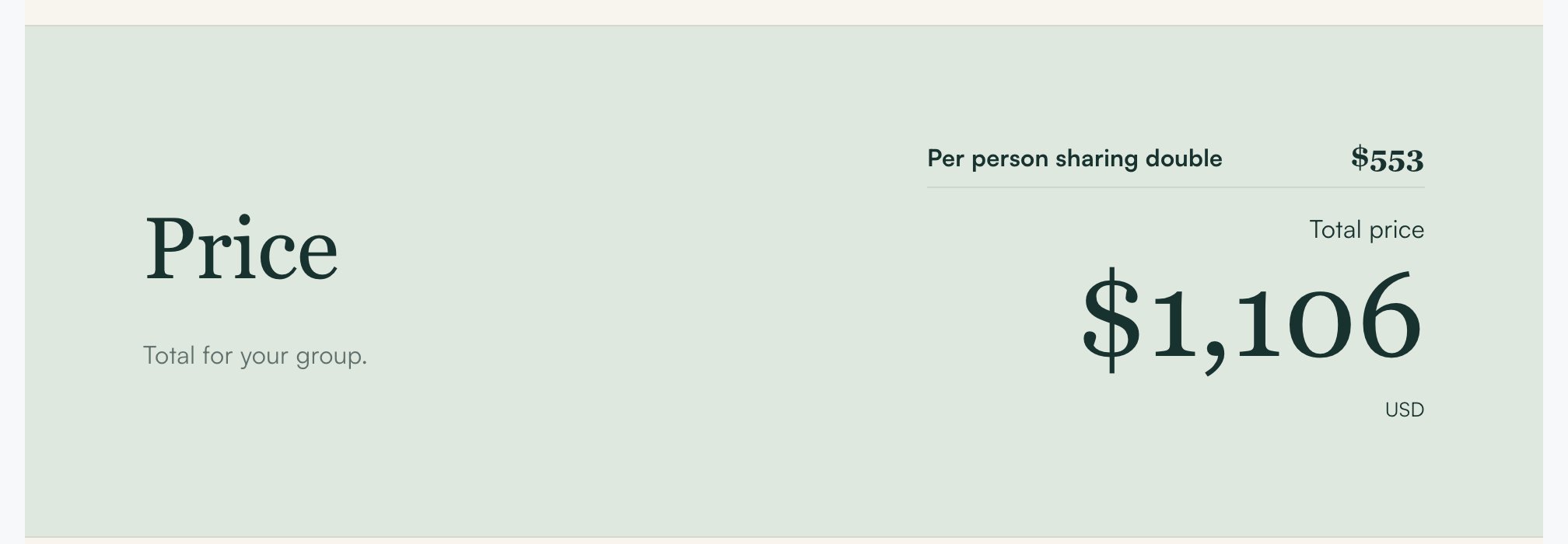
The Price section: Per person sharing double USD 553, then the total price USD 1,106

What you see

The options

With one option, the page has no “One way to travel” box. With two or three options, each card shows the name and one line. A card does not show a price. Under Day by day there is one line with the places, for example “Colombo → Kandy → Ella”.

Price per person by room sharing

The Price section shows what one person pays. It shows only the lines this trip has:
  • Per person sharing double
  • Per person sharing triple, only when the trip has a triple room
  • Single supplement, only when the trip has a single room
  • Child, no extra bed and Child with extra bed, with the ages, only when a child is travelling
These are the same figures the customer will get when you issue. A line shows — when a hotel in that option has no price for it, and the note about it shows only then. See How prices per person are shown. An option with no complete price shows no rates.

Included and Not included

The lists show what you set in Costing first, then your company’s standard lines.
  • Included: the services you kept in the price, then your standard inclusions.
  • Not included: the entries you left out of the price, the hotels the customer books (for example “Garden Hotel (you booked this)”), then your standard exclusions.
  • When We book the hotels is unticked, the page says Hotels: booked by you on its own. It is not in the Not included list.
A line that says the same thing twice is shown once. To change your standard lines, see Set the writing style.

The preview can change

The preview is made from the saved route and costing. It does not show edits you have not saved. Save your work, then open the preview again. Figures can change until you issue. After you issue, the version is fixed. A version you issued before the rates were added shows only the total. Issue a new version to show them.